
Tapo TC70
A practical security camera (1080p, no-subscription storage) for home security, with phone alerts and infrared night vision.
Avoiding a monthly fee is one of the most common goals when buying a security camera, and it's entirely achievable. The key is how the camera stores its footage.
Choose a camera that records to local storage: a microSD card in the camera, or a base station/NVR that keeps footage at home. With local storage you get full recording and playback at no ongoing cost. A cloud plan then becomes optional, adding off-site backup (useful if the camera is stolen or damaged) and longer history. Eufy and Reolink are well known for subscription-free local storage, and many budget brands include an SD slot.
Local-only storage means that if the camera is stolen, the footage on its card goes too, which is the main reason some people add optional cloud backup. Local storage capacity is also finite, so older clips are overwritten; a larger card or NVR extends how far back you can look. For most homes, local storage with the option of cloud backup is the best balance of cost and security.
A practical security camera (1080p, no-subscription storage) for home security, with phone alerts and infrared night vision.

A practical security camera (1080p, no-subscription storage) for home security, with phone alerts and colour night vision.

A practical security camera (2K, no-subscription storage) for home security, with phone alerts and infrared night vision.

A practical security camera (2K, no-subscription storage) for home security, with phone alerts and colour night vision.

A practical security camera (no-subscription storage) for home security, with phone alerts and infrared night vision.
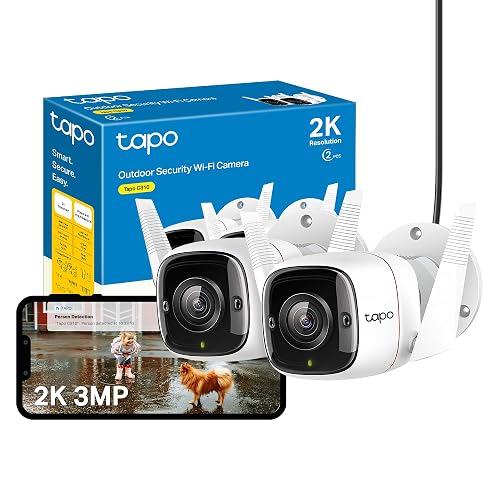
A practical security camera (2K, wired, no-subscription storage) for home security, with phone alerts and infrared night vision.
You can view live and get alerts, but Ring and Arlo are cloud-led, so saving and reviewing recorded clips generally needs a plan. If avoiding fees is the priority, look at Eufy, Reolink or cameras with a microSD slot.
Yes, and it keeps footage in your home rather than the cloud. The one risk is the camera (and its card) being stolen, which optional cloud backup guards against.
Our top pick is the Tapo TC70 (our score 9.6/10) - A practical security camera (1080p, no-subscription storage) for home security, with phone alerts and infrared night vision..